
How to Draw an Autumn Landscape

Autumn provides a particularly rich palette of colors, which makes it an interesting season to depict in a drawing. In this tutorial, you will learn how to create a digital autumn landscape, gradually working on the different parts of the scene to give it depth and relief.
Even though the demonstration is done digitally, the principles explored here can also be adapted to other techniques, such as colored pencils, gouache, or watercolor, for example. The method of working with colors and textures will simply vary depending on the medium used.
Some examples for observation before drawing
In Autumn Landscape (19th century), William Mason Brown depicted a large tree with reddish-orange leaves against a backdrop of a clear sky. In particular, this work enables us to observe how the colors are distributed in the main tree, but also how light and shadows are used on the leaves and how a classic autumn landscape is constructed.
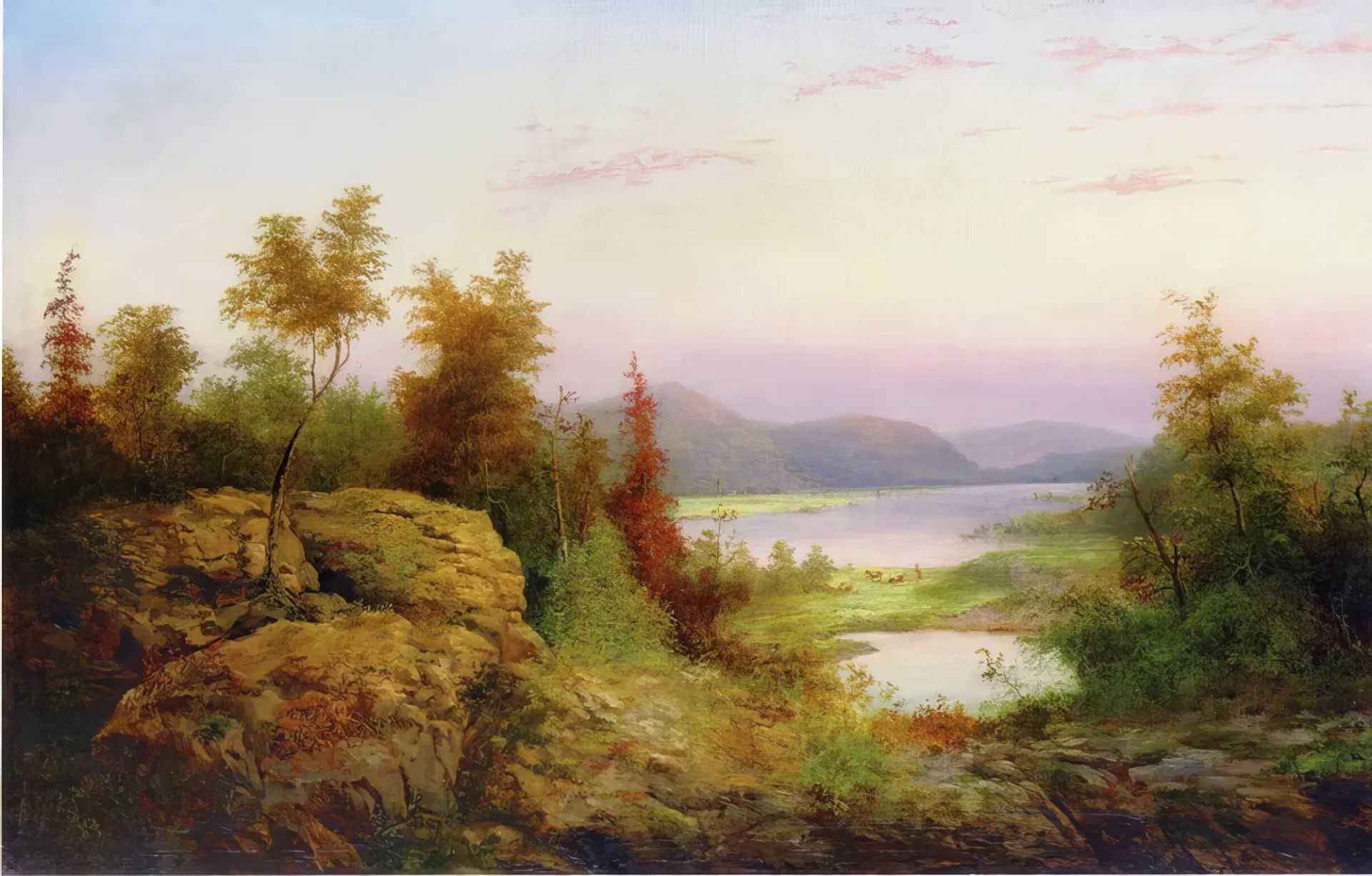
In Autumn Landscape (20th century), William Frerichs demonstrated how to create textures in a landscape without having to paint each leaf individually. He used touches of color to suggest masses of foliage and give depth to the scene. It is a good example of how to achieve a natural look with broad brushstrokes and blending techniques.
How to draw an autumn landscape step by step
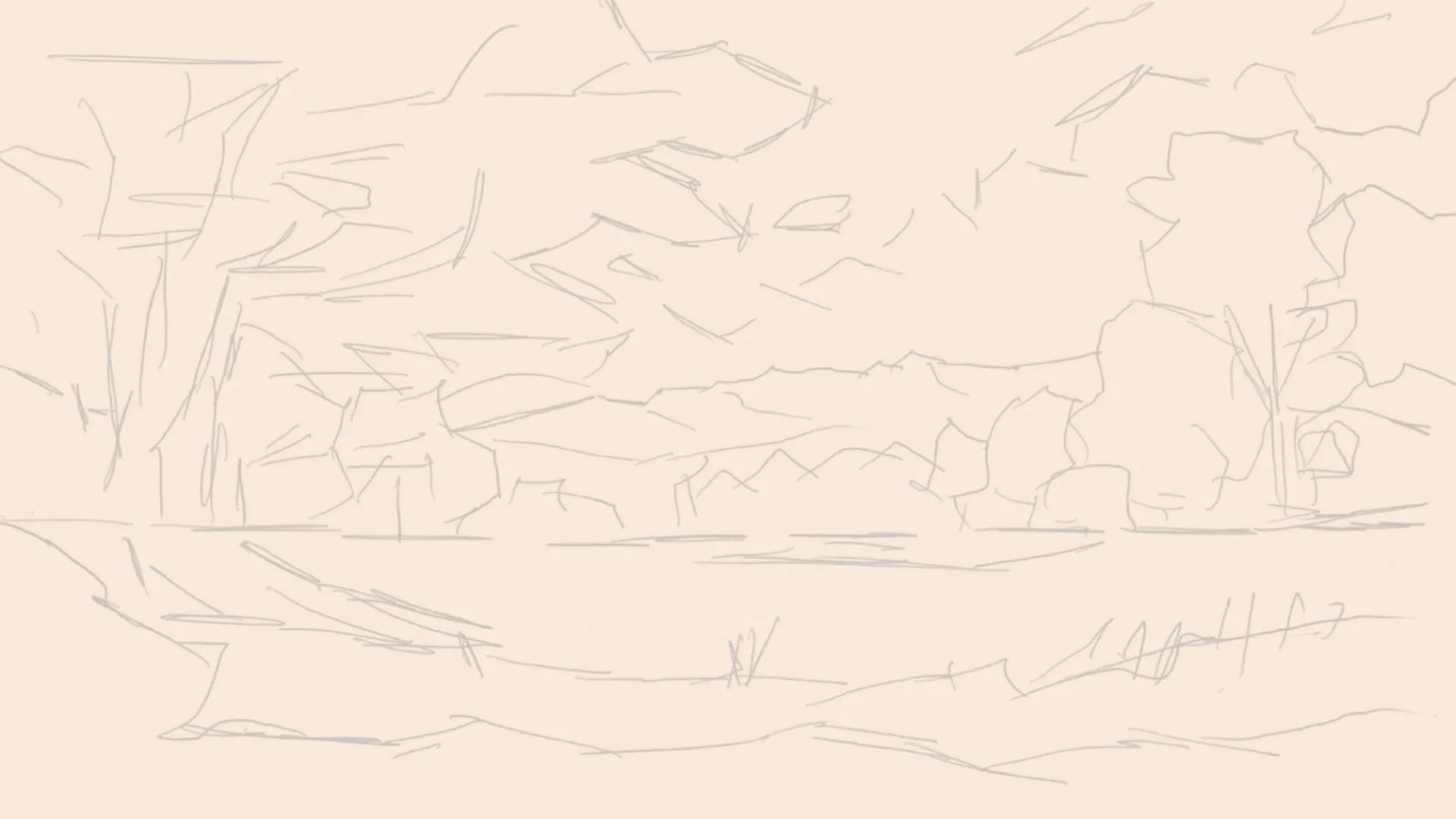
Draw straight and diagonal lines to define the main composition: place the dominant tree on the left, the field in the center, and the mountain range in the background. These guide points help to balance the visual masses and guide the direction of the elements.
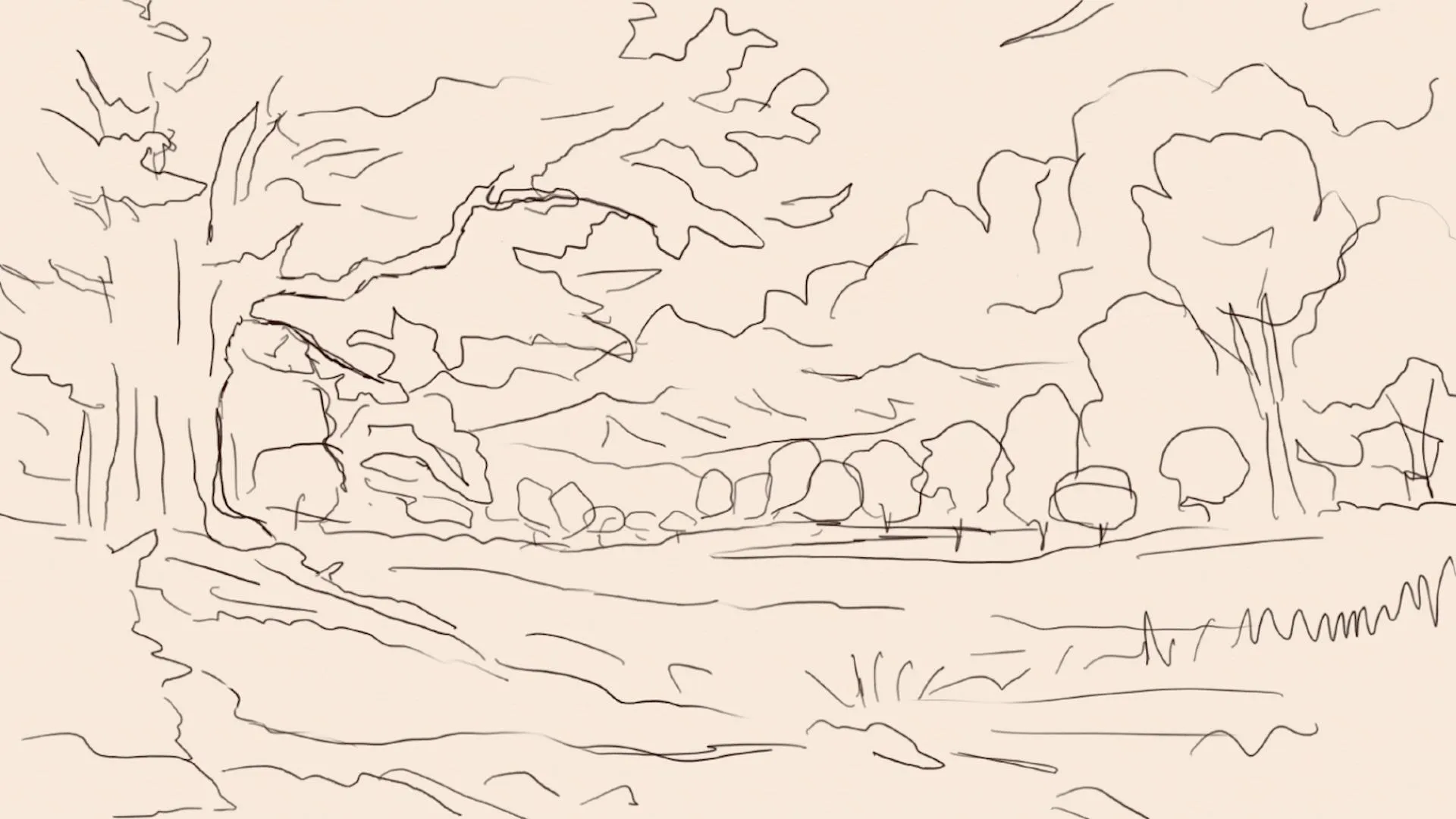
Using the structural lines, draw the outline of the main tree, the secondary trees, the mountain range, and the branch that supports the tree. Do not detail the leaves, just define the main volumes with a freehand stroke, in order to ensure flexibility when it comes to painting.
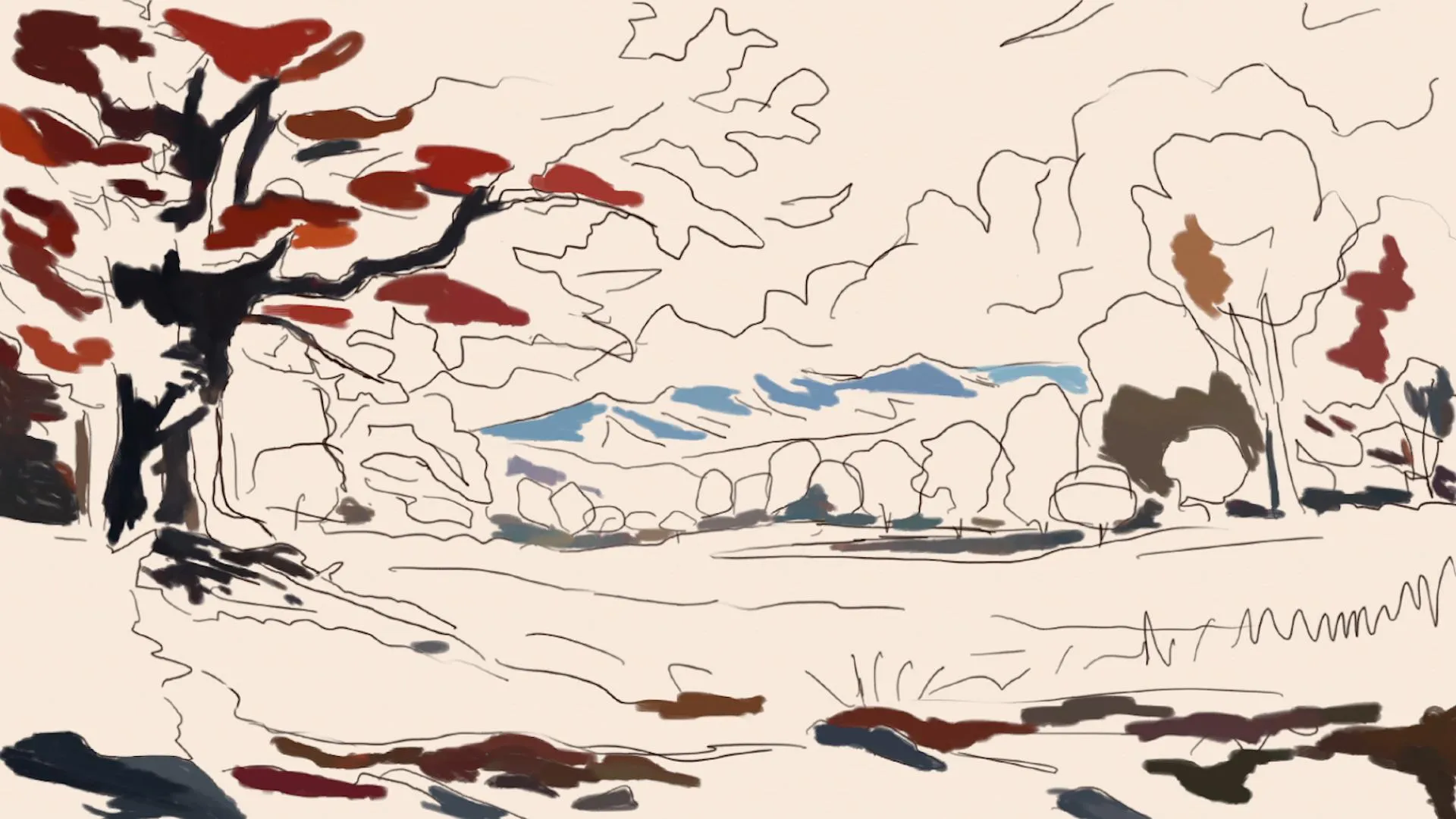
Apply the darkest tones to the areas of the landscape that would be in shadow: the tree trunk, the base of the branch, certain parts of the mountain range, and the field. These initial shadows establish the direction of the sunlight and help to shape volume.
Draw the sky in an autumn landscape
Add gradation from blue to sky blue, using a brush with varying blending and opacity. This block of color should be wide and soft, in order to create an atmospheric background that will suggest depth and distant light.
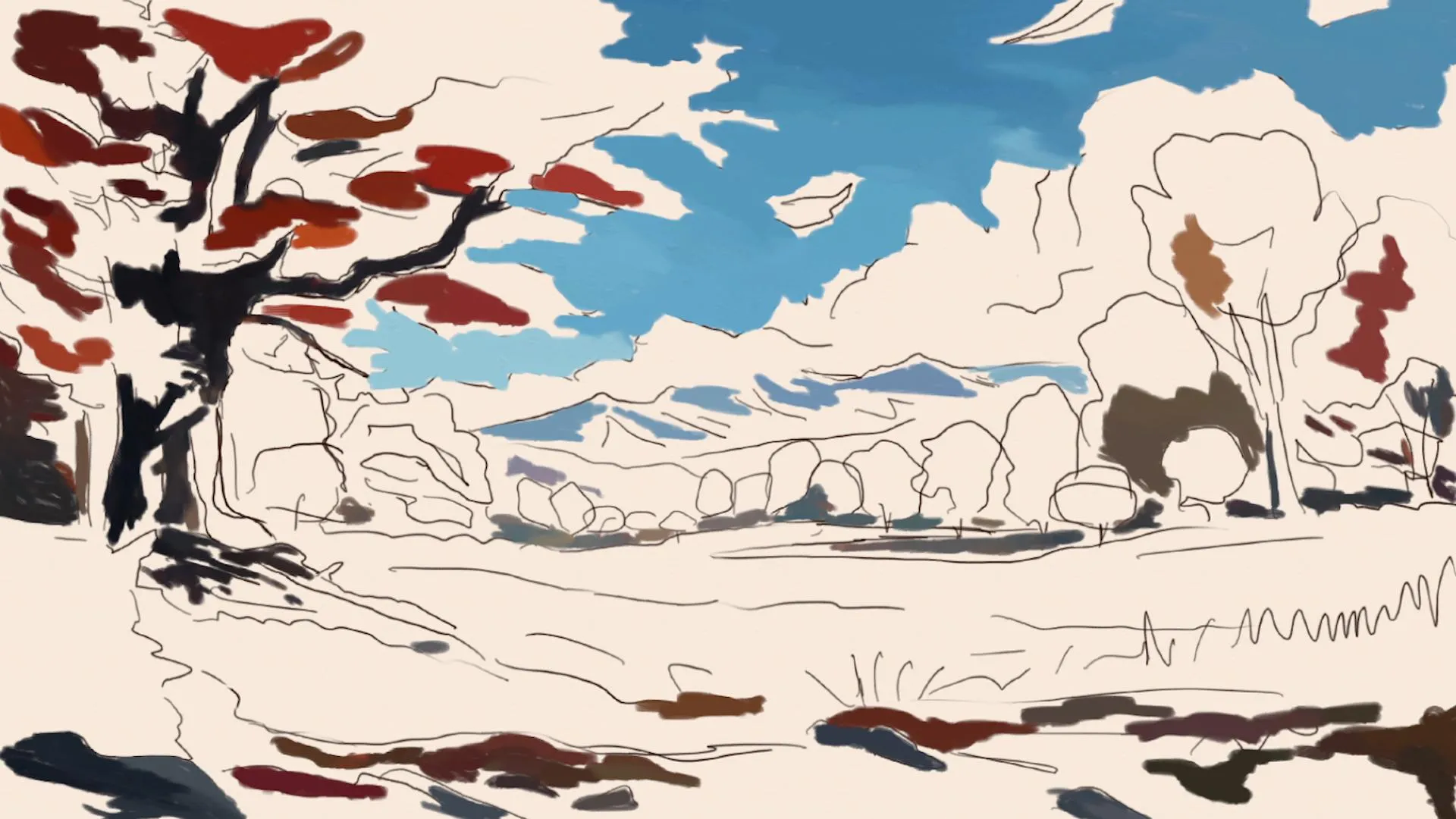
Draw white clouds with soft edges using a brush that allows for good blending. Concentrate more opacity in the center of the clouds and blend the edges to achieve a soft and natural look, using glazes to create smooth transitions.
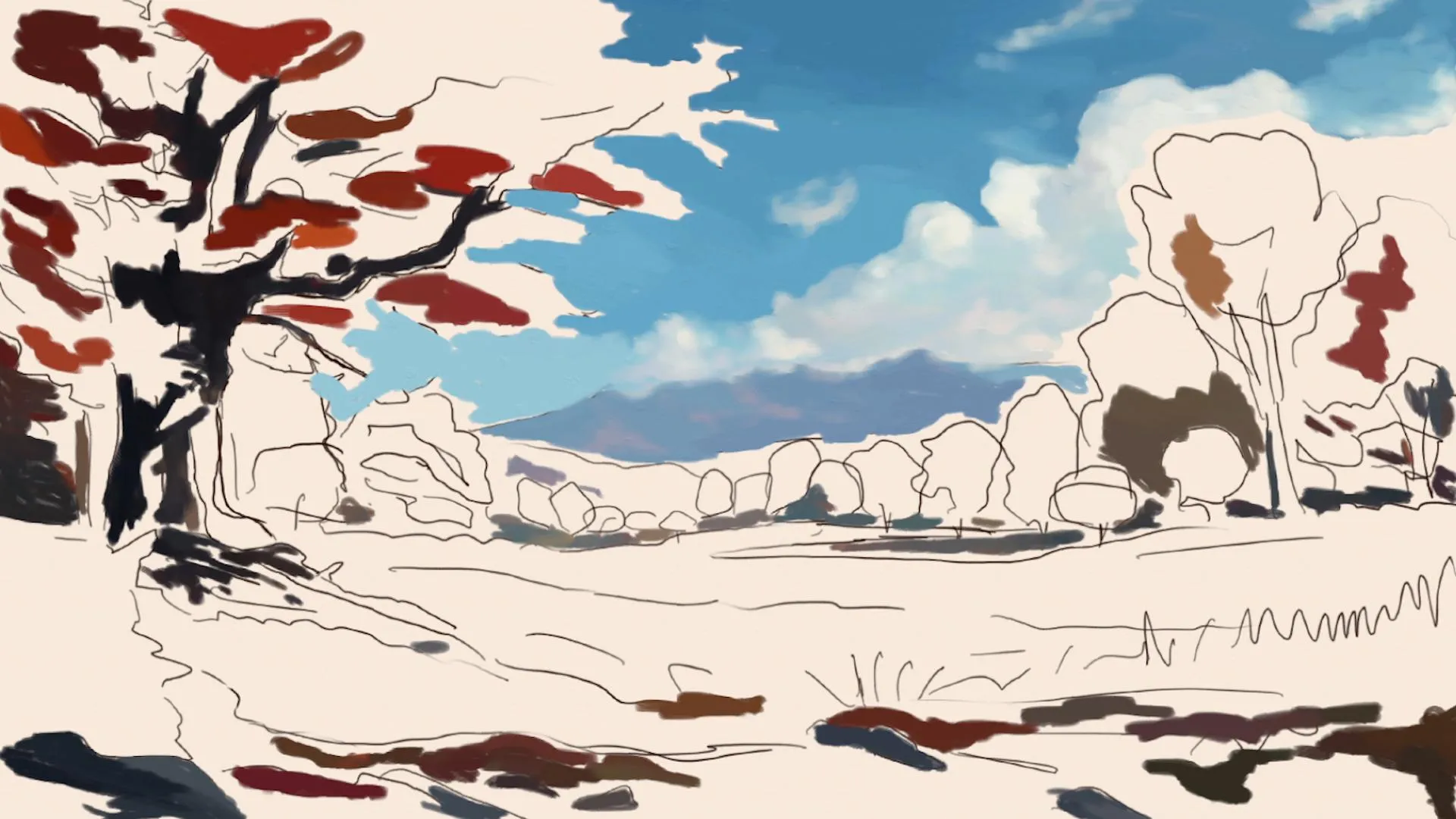
Draw the background of an autumn landscape
Using a blending brush, paint the trees in the background: combine oranges, yellows, reds, and greens to represent autumn leaves. Add touches of blue in the farthest areas to suggest distance and atmosphere.
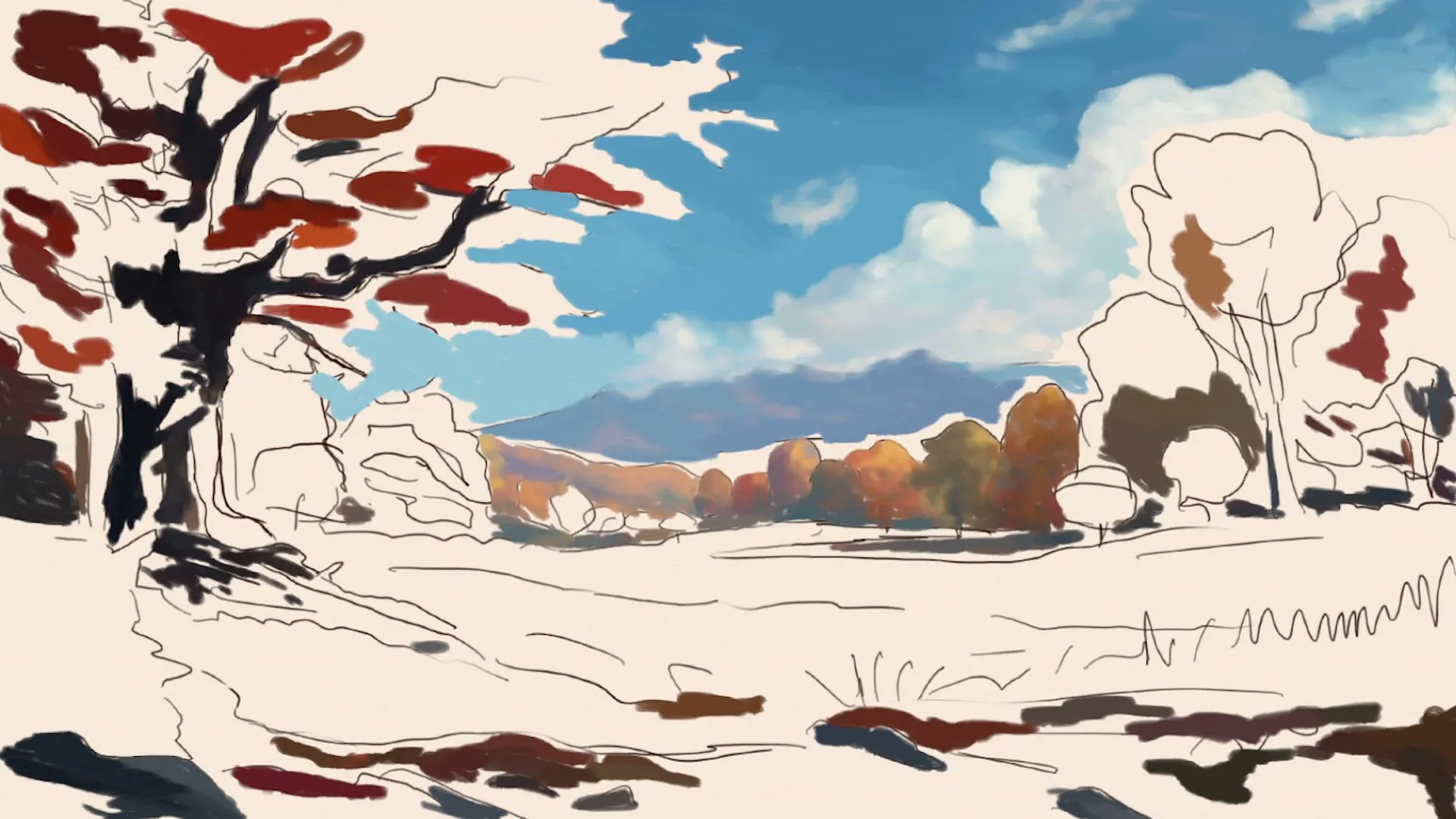
Use scattered brushstrokes of orange, red, and yellow to create masses of foliage. Then, gently blend these colors to achieve a realistic appearance without defining each leaf, creating a pictorial but convincing effect.
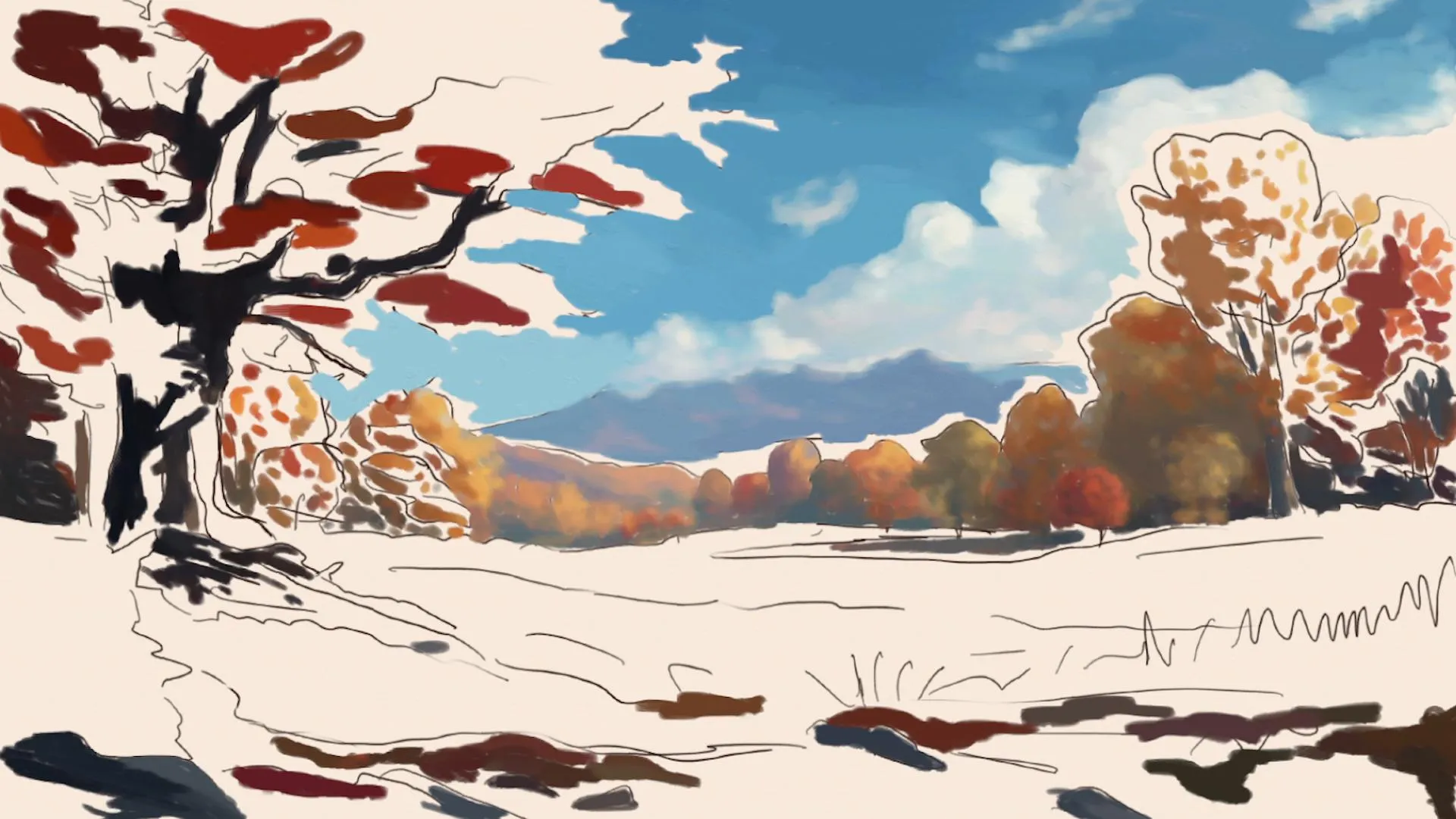
Blend and mix the colors of the background foliage, emphasizing the internal shadows to create depth. Alternate between denser and lighter brushstrokes to suggest the three-dimensionality of the trees and the shape of their crowns.
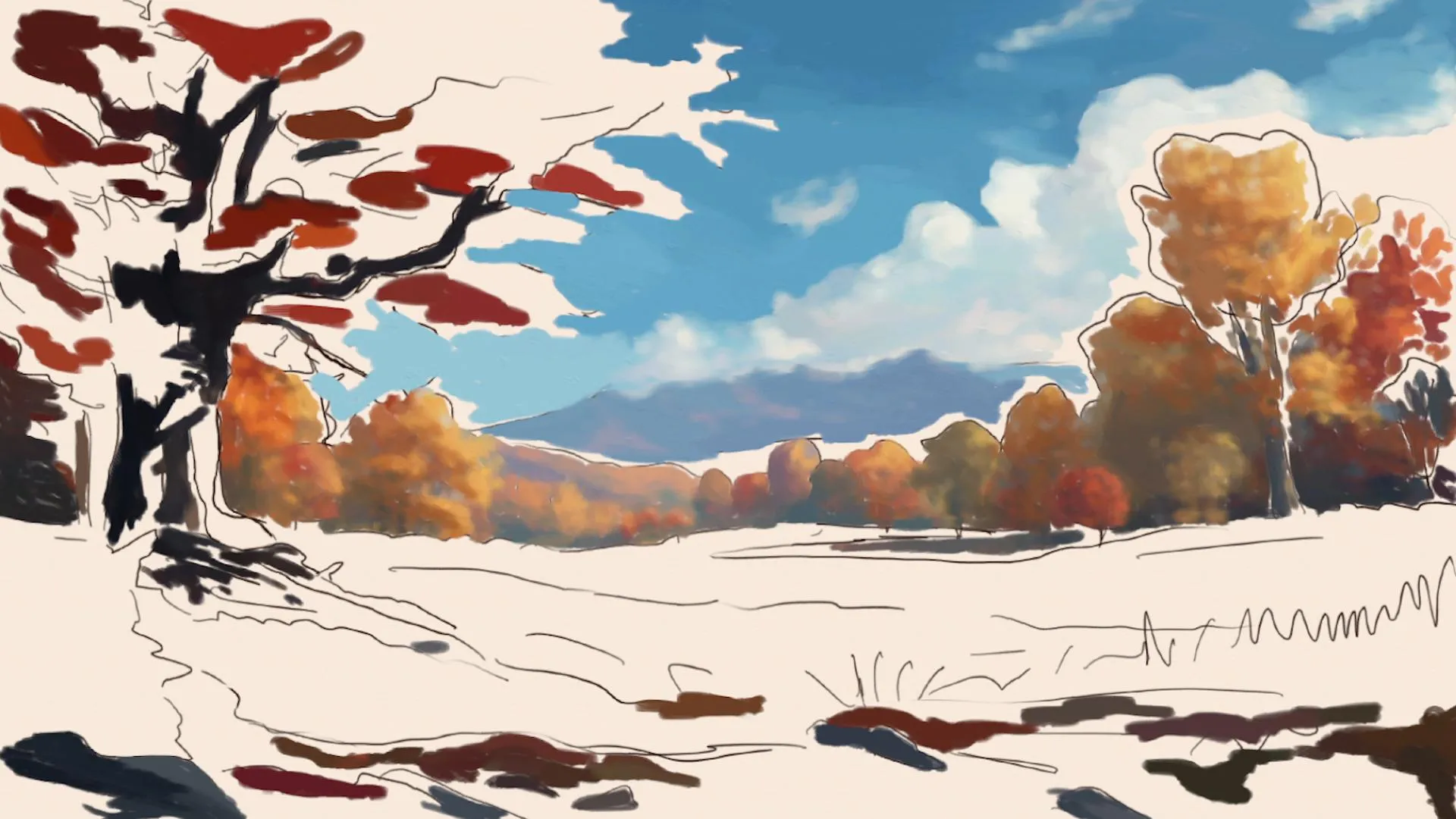
Draw the main tree with bright reds and oranges for its leaves. Apply a dark trunk, using black or very deep brown, to create a strong contrast with the brightness of the leaves and to enhance its dominant presence in the scene.
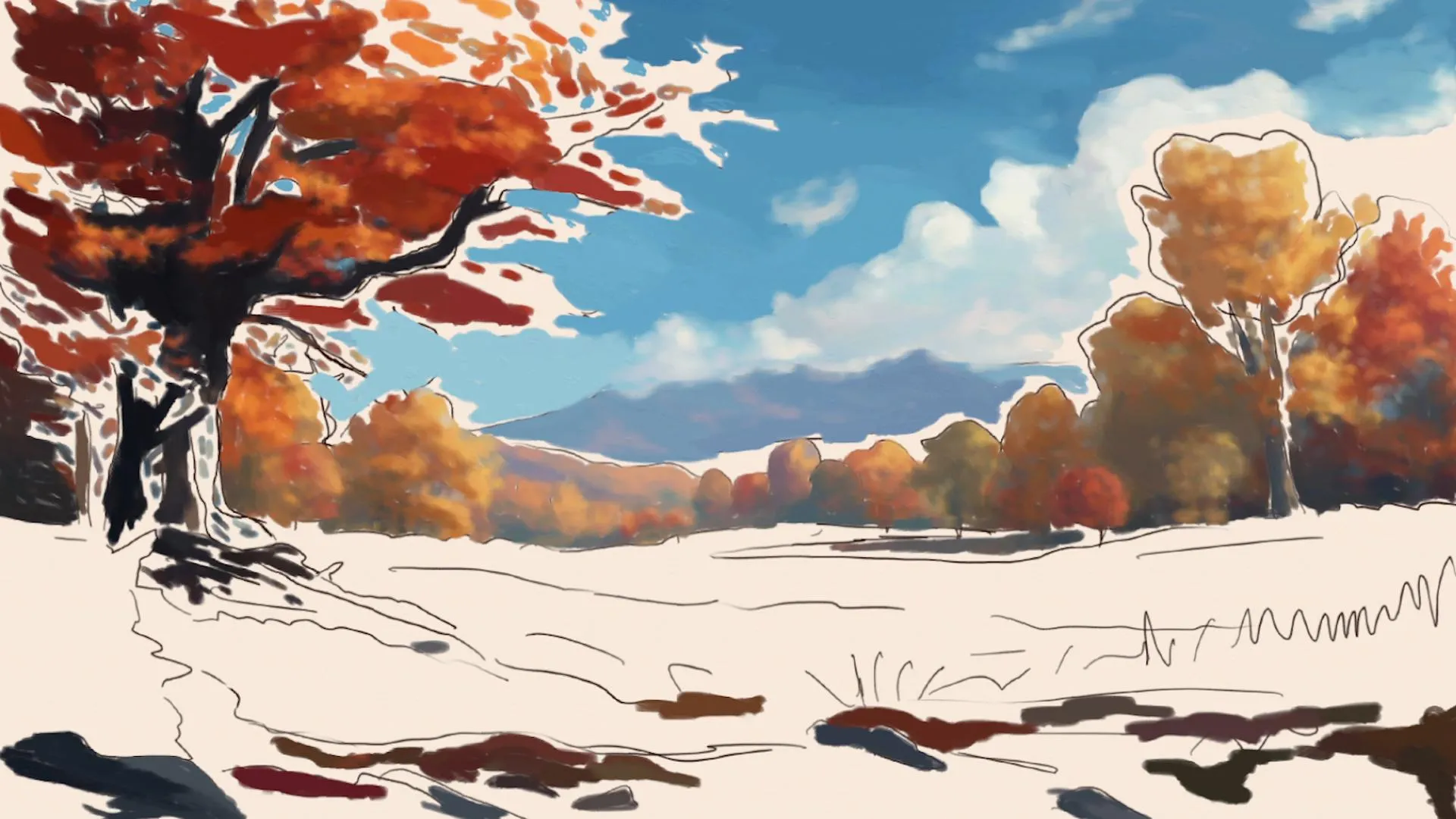
Mix the colors of the main tree accurately, developing dry autumn leaves without outlining them one by one. Use free brushstrokes and good control of the mix to create subtle tonal gradations.
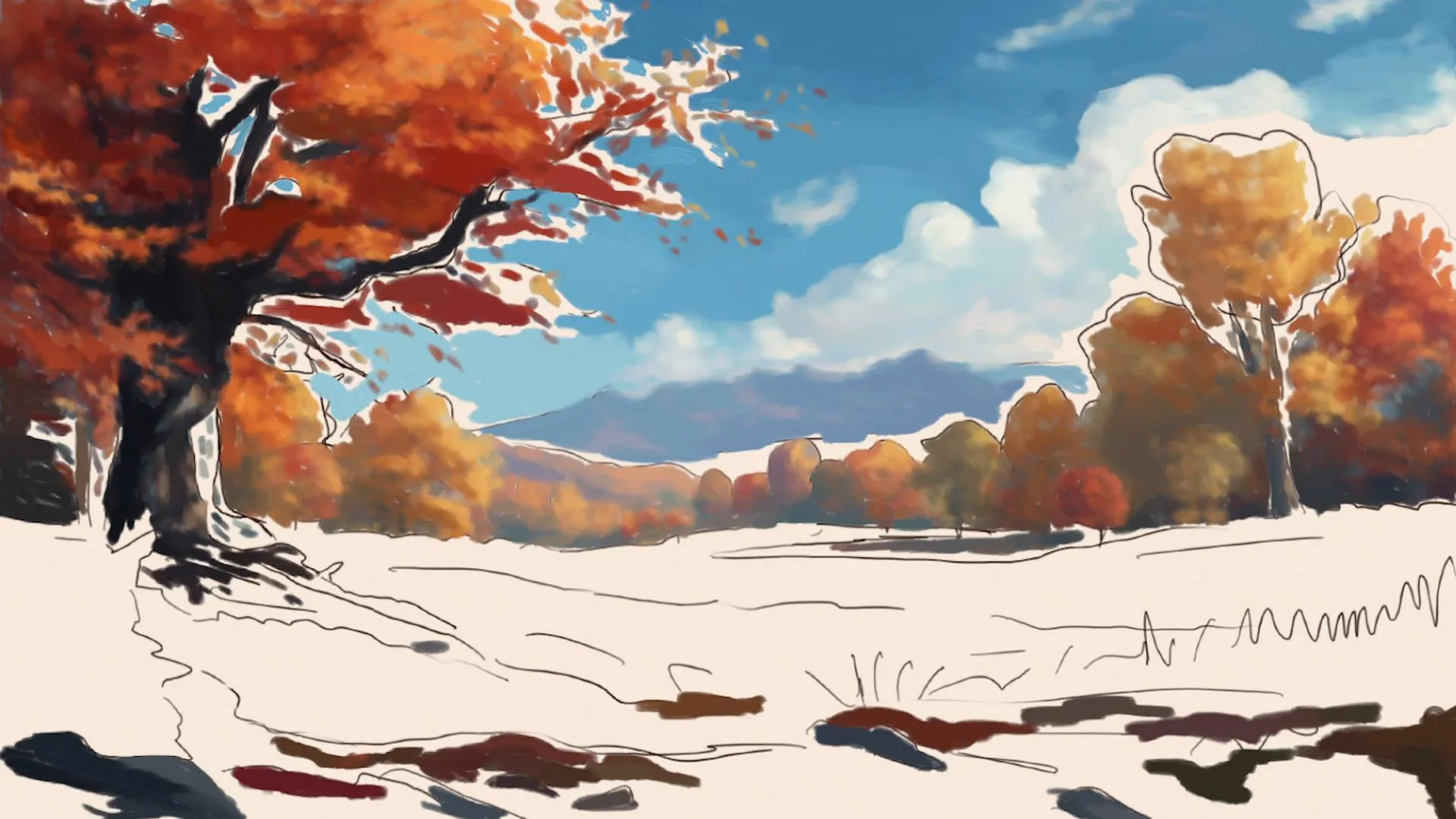
Draw the foreground
Apply a golden yellow to the foreground to represent the illuminated field. Use a textured brush for digital, or a sponge for the traditional method, to imitate the effect of patches of grass and fallen leaves, allowing for a more natural and unstructured form.
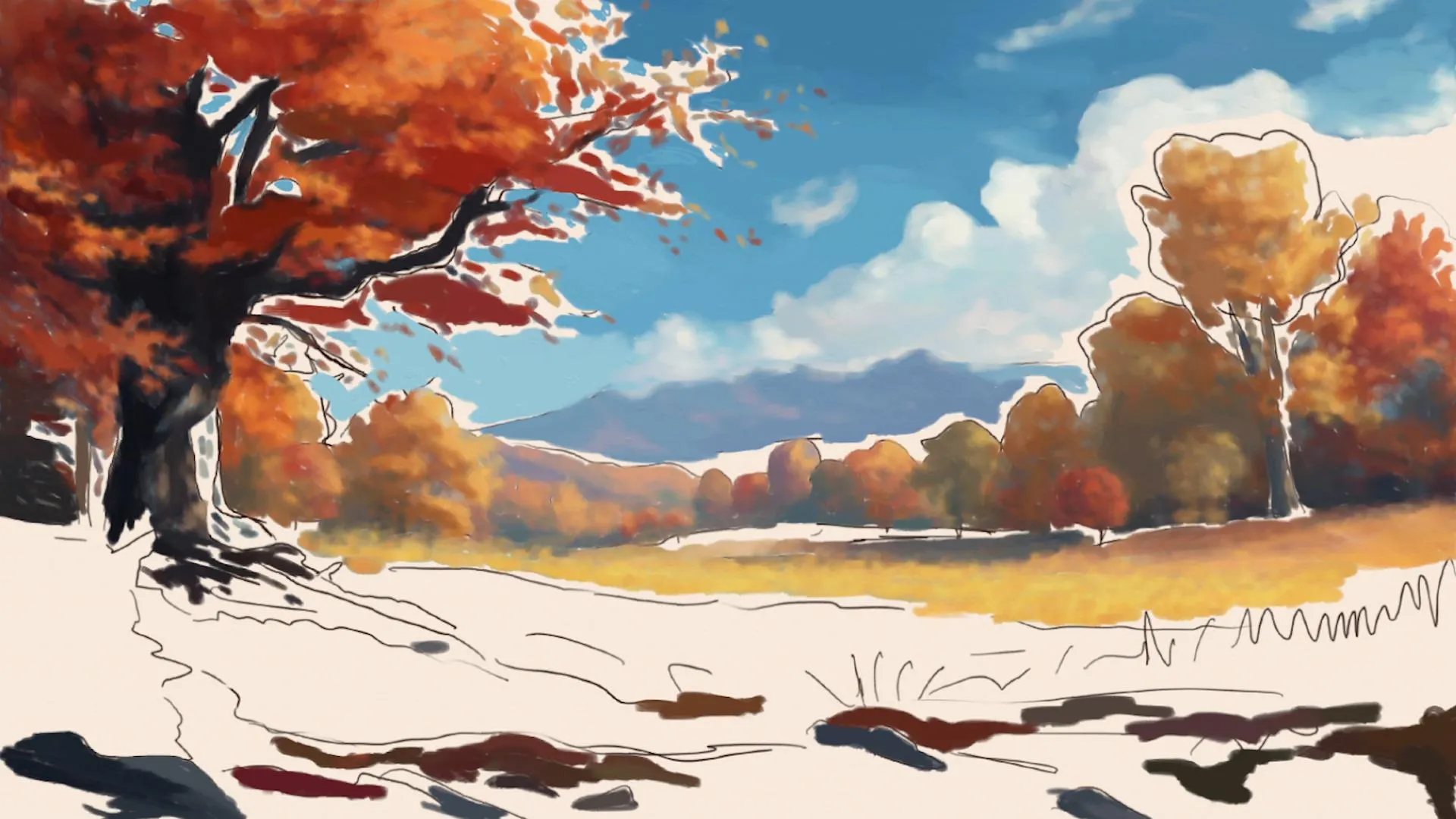
Using the textured brush, gradually add spots and shapes that suggest grass, furrows, and areas of density, without outlining each individual blade. This technique creates more realism with less individual definition, emphasizing the overall atmosphere.
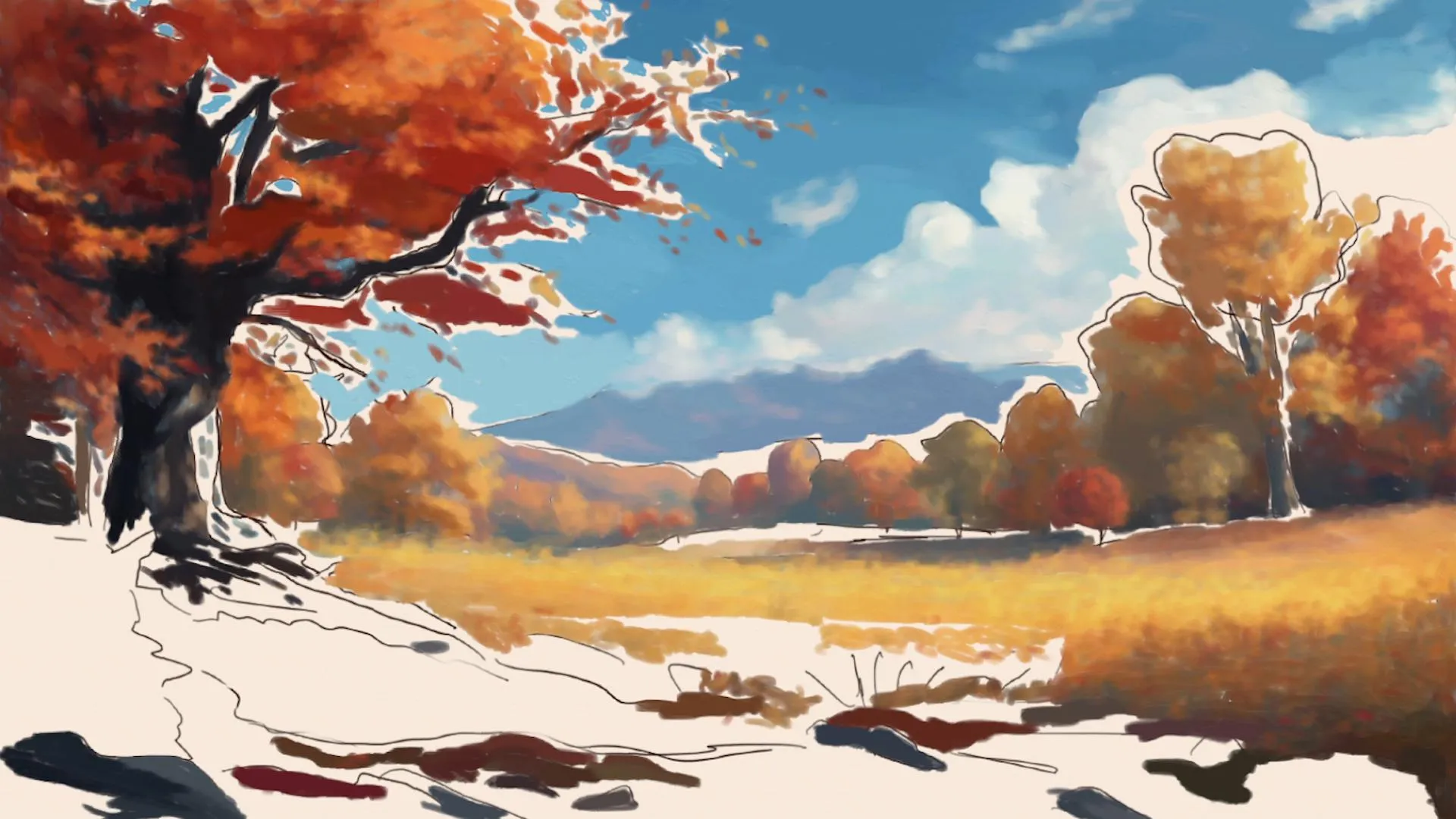
Apply scattered brushstrokes in the foreground with bright oranges and yellows for the illuminated areas, and deep reds for the shadows under the leaves. These brushstrokes create contrast in the lower part of the composition.
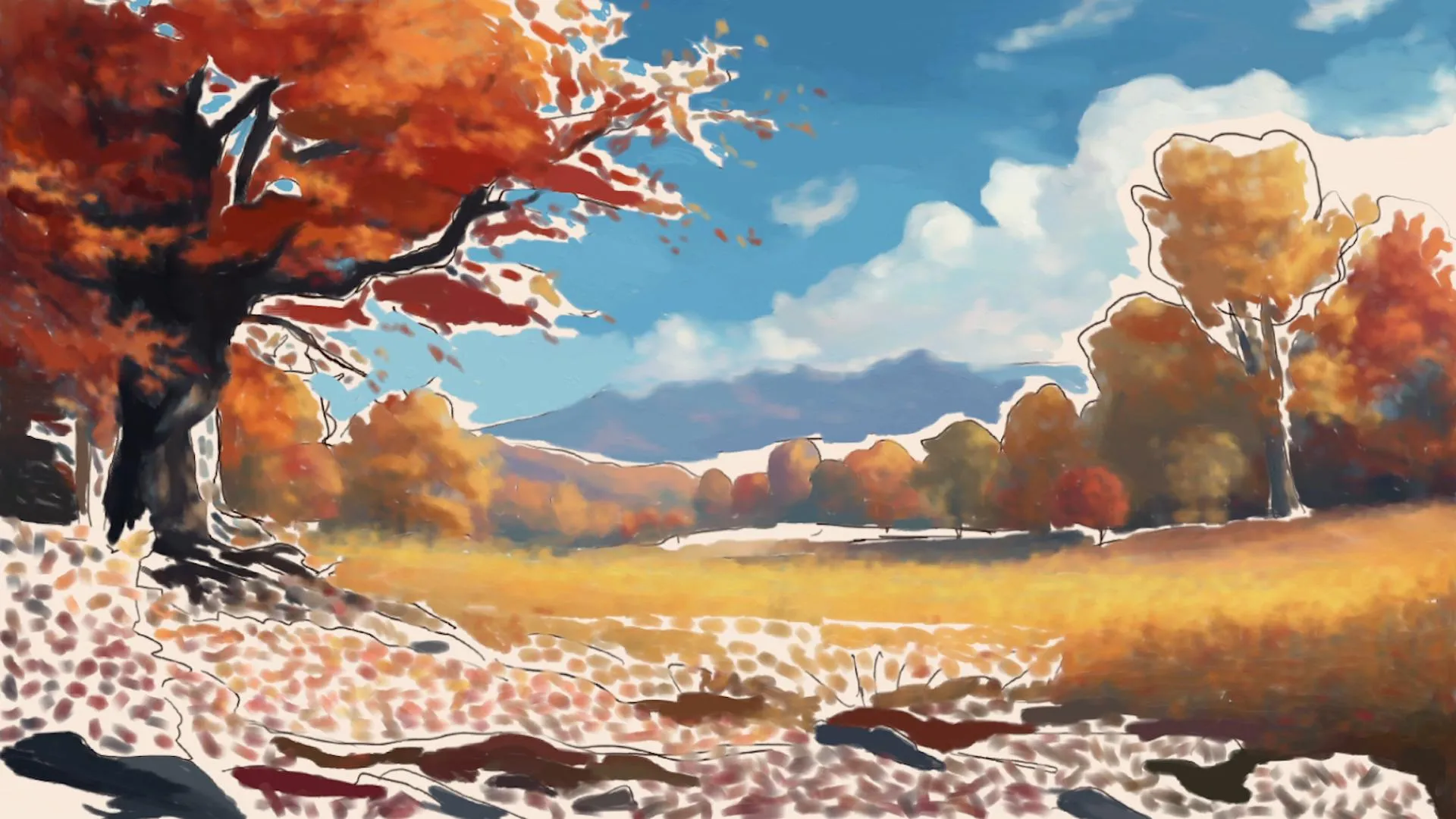
Use a soft brush to blend the colors previously applied and create the shape of dense vegetation, slowly mixing tones to achieve a harmonious and realistic look, without harsh outlines.
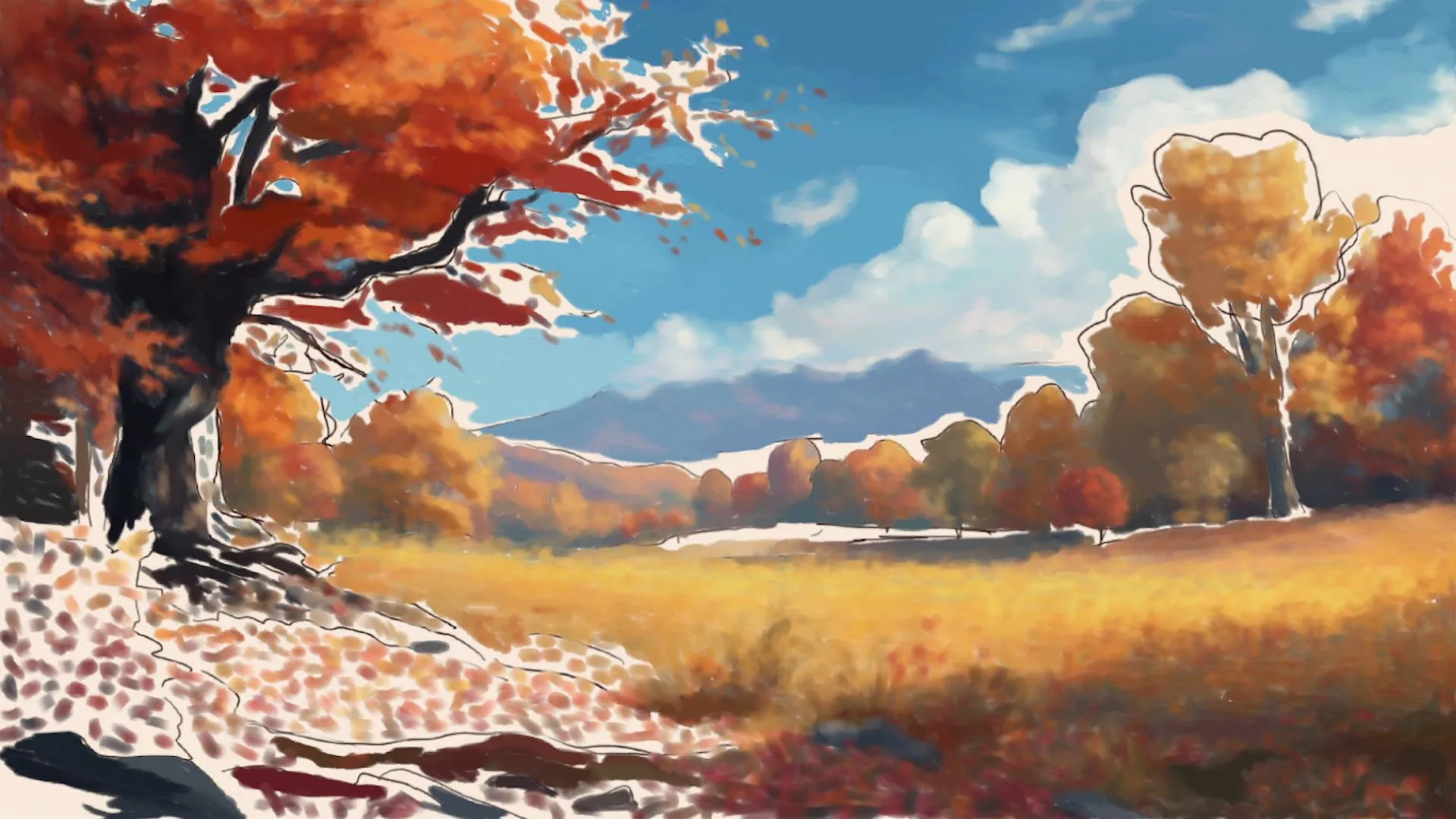
Finalize the drawing
Detail the fallen leaves, small plants, and stones in the foreground with more precise brushstrokes. Introduce areas of contrasting shadow to emphasize the volume and enhance the whole landscape.
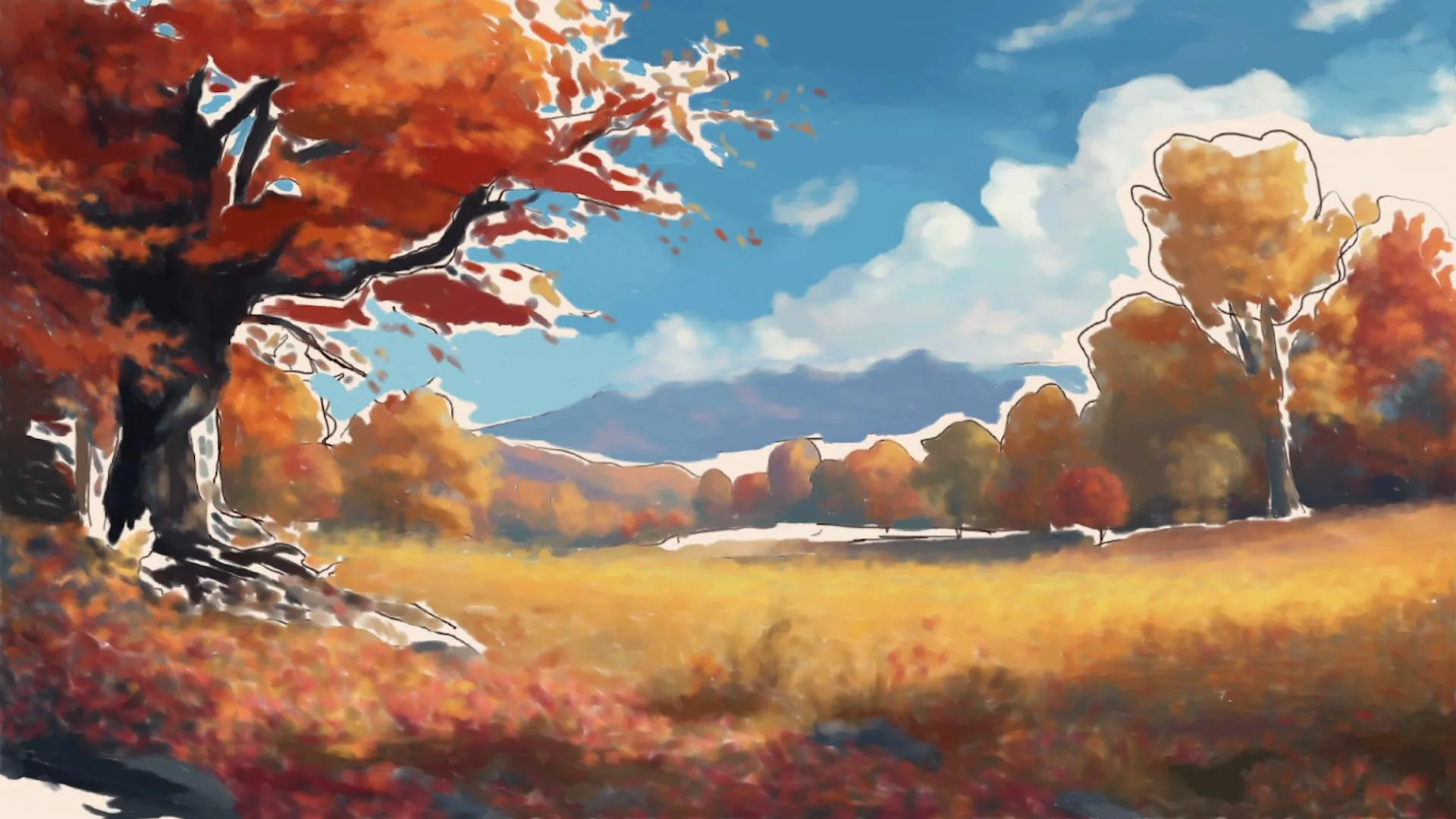
Strengthen and blend the outlines of the main and secondary trees, paying attention to the transitions between the branches and the foliage. Apply soft glazes to soften the edges and maintain consistency between the masses of color.
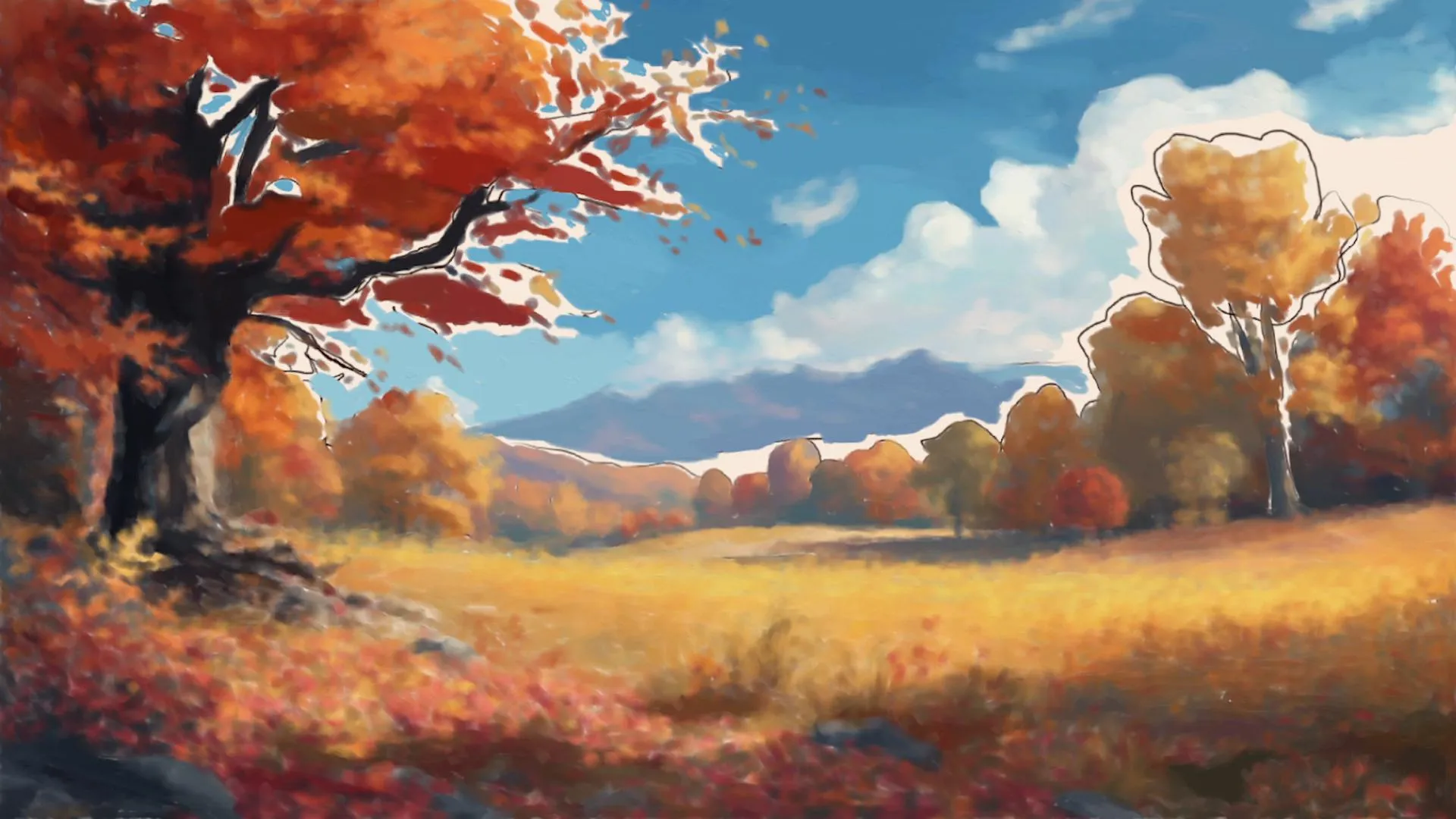
Blend the tops of the trees with the sky using light blue tones and soft brushstrokes of leaf color, in order to visually merge the treetops with the background. This creates a natural atmospheric transition, without harsh outlines.
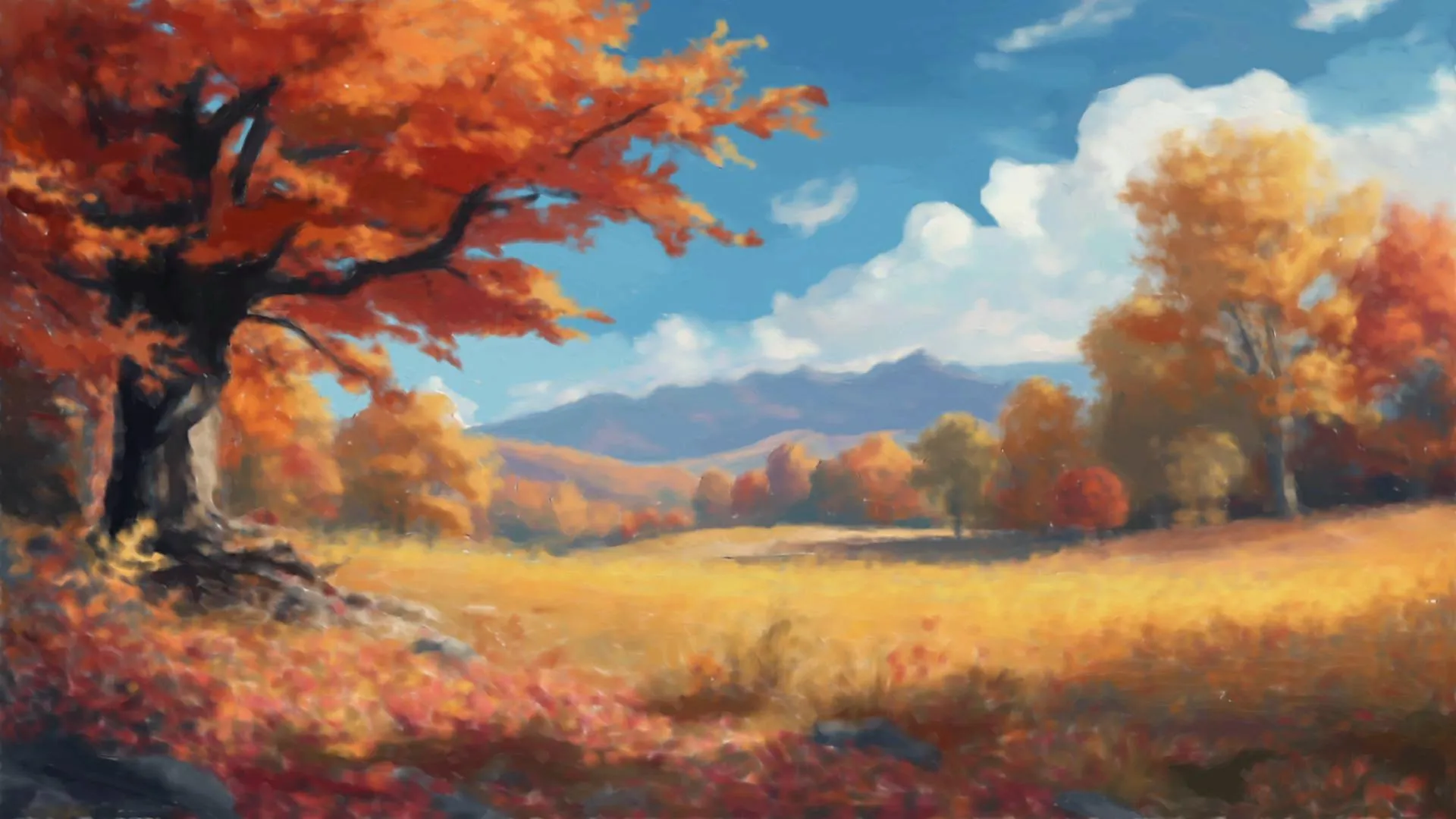
Our painting is complete.
To create this landscape, the most important thing is to build up the scene gradually in order to give it depth. The warm colors of the foliage stand out naturally against the cooler tones of the sky, while the elements placed in the foreground add more depth to the overall composition.
Digital painting makes it easier to create transitions between colors using blending brushes and allows for easy correction of certain steps using layers. To achieve a similar effect with a traditional technique, it is possible to gradually layer the colors with glazes or use a sponge to create smoother transitions. The method changes, but the goal remains the same: to obtain a landscape with blended colors and a pictorial rendering.
By working gradually, you can thus add depth to the landscape while maintaining a soft and warm atmosphere characteristic of autumn scenes.
Popular Articles

Discussion
No comments yet.